Showing posts with label Photo editer. Show all posts

Tuesday, 29 April 2014

Camera Timestamp Add-on 2.05

- 0 comments


 Current Version: 2.05
Requires Android: 3.0 and up
Category: Productivity
v2.05 update:
11/9/2013
Added “Text Outline” option in Settings.
11/28/2013
Added two new date format.
12/29/2013
Added the ability to add custom text above the time stamp.
01/14/2014
Fixed a force close error.
02/16/2014
1. You can use your own date/time instead of photo date/time.
2. You can choose photo directories on a different SD card than the default SD card.
02/25/2014
Added error reporting.
03/03/2014
Bug fix.
Overview:
Stamp a single or multiple photos at once! Use with all your favorite camera applications!
Camera Timestamp Add-On is NOT a camera application; rather, it creates time-stamped copies of photos taken by other camera applications.*
Notice: ORIGINAL PHOTOS ARE NOT ALTERED IN ANY WAY. A copy of the original photo is made before timestamps are added. BE SURE TO TEST OUT THE FREE TRIAL VERSION BEFORE YOU BUY THIS APPLICATION.

The trial version can be found in our “MORE BY ASCENDAPPS” section at the bottom of this page, or downloaded at the following link:

https://play.google.com/store/apps/details?id=com.ascendapps.cameratimestamp.trial
It is easy to customize the settings for each camera application on your mobile device:
- Easy one time setup and you are good to go.
- Choose a date/time format from many available formats.
- Choose a text color – any color you want.
- Choose a text size – automatic or choose your own size.
- Add outline to text to make it more visible even when the text color is similar to its background color.
- Choose where to put text – lower left corner or lower right corner.
- Allow you to use custom date/time instead of photo date/time.
- Add custom text above date/time.
- Include location on the photo if the file contains geotagging information.
- Choose the quality of the time stamped copy.
- Choose where the time-stamped photos are stored.
*Only standard Android EXIF headers are preserved in the time-stamped copies.
We welcome your comments, suggestions, or bug reports. You can contact us at admin@ascendapps.net.


Download via Google Play:
  Camera Timestamp Add-on 2.05 on Google Play

[Continue reading...]

Tholotis – Blur 2.3.0

- 0 comments


 Current Version: 2.3.0
Requires Android: 4.0 and up
Category: Personalization
v2.3.0 update:
Version 2.3.0
Redesigned the sliders’ scrubbers
Added a process indicator
Many bugfixes
Overview:
Tholotis, blurring the line between perfection and reality. Literally.
Tholotis is minimalistic app that enables you to blur, dim, and save your wallpapers.
Done blurring and dimming? Let BackDrop™ take over, an algorithm that produces pixel perfect wallpaper optimization.
Moreover, make your homescreen glow by tinting your wallpaper in your favorite colors.
Complete feature list:
- Pick current wallpaper or select from gallery
- Blur, dim
- Tint (Paid feature)
- Crop, rotate image
- Produce pixel perfect wallpapers with BackDrop™
- Set wallpaper, save to gallery
- Share
…..
 
[Continue reading...]

Sunday, 30 March 2014

A Better Camera Unlocked 3.17

- 0 comments
Camera_result
This is a version of A Better Camera with all paid features unlocked.
All-purpose, full featured camera for Android:
* HDR: vivid colors and rich detail, photos looking like taken with a DSLR and processed with Pro software
* Panorama: up to 360 degrees, up to 100 MPix
* Unwanted objects removal: remove objects from the photo with a tap
* Night mode: capture sharp and noise-free photos in any illumination
* Group portrait: make everyone smile, fuse faces from series of photos into one
* Video recording + time lapse
* Pre-shot: capture what happened before you tap the button
* Sequence shot: capture the evolution of the dynamic scene
* Burst and expo-bracketing: Pro functions in your mobile camera
* Self-timer
* Zoom
+ full access to all Camera controls, settings and functions
Forget about having dozens of camera apps. A Better Camera does everything you need.
A number of top ranked Android camera apps such as HDR Camera+, Night Camera+ and HDPanorama+ have been melted into A Better Camera to provide you with the best, all-purpose,full featured camera app.
Video has great features, such as time lapse, and can be used with focus lock, exposure lock and white balance lock!
Being open to 3rd party developers, this application aggregates the experience of Androiddevelopers community to provide you with the most complete set of the best imaging features ever!


Camera1_result
Camera2_result
Camera3_result
Camera4_resultCamera5_resultCamera6_result
[Continue reading...]

Saturday, 22 February 2014

Animated Photo Frame Widget + Full Premium Version

- 0 comments
unnamedlkjlk
Animated Photo Frame Widget + can help you create your own photo widget.this apps difference from other photo widgets and there have up to 30 frames and 7 transition modes during slideshow process.also it’s most powerful photo slideshow widget.
Feature :
● Slideshow interval can be chosen.
● One click shuffle all your photos.
● 4 in 1 photo frame widget. (Support only one 4 in 1widget on Home screen)
● Future update functions and more than 30 kinds of different design photo frame.
● New rich design sense of the time panel. (Show/Hide)
● 10 kinds of rich design sense fonts.
● Considerate power-saving design
● Simultaneously select multiple albums playback.
● Gallery Click Function.
● No ads.
Screenshot :
unnamed
Animation photo framephoto frame widget
Requirements :
Android 3.0 and up
File Size :18 MB
Google Play Price :$1.69
Download Free Now!!!
Alternate Download Link
[Continue reading...]

Holo Camera PLUS Premium Version

- 0 comments
paid holo camera free
Holo Camera PLUS is one of the best apps on camera.Forget the days of washed out, blurry images, with dull colors.
Feature :
• camera, video recorder and panorama modes
• Android 4.4 ARC UI
• Configurable Volume Rocker.
• New FX modes and Scene modes
• Silent mode (might not work on some devices)
• Pinch to zoom
• Picture quality low,medium,high and ultra
• Timer,Burst mode and Thumbnail Review
• ISO Mode Settings
• Flicker Reduction/Anti-Banding
• Video quality adjustable
• Sliding Drawer for quick options.
• Flash Mode and Live FX
• “ULTRA HD” resolution for devices with more than 8mp Camera. It can be turned on from Miscellaneous Tweaks>Ultra HD
• Configurable UHD Aspect Ratio: Choose between 4:3 or 16:9
• Separate tweaks for front and back camera.
• Scene mode,Auto Exposure Settings and HDR Support
• Skin Tone Enhancement (NEW!)
• Ultra fast photos and videos viewer
Screenshot :
cvwfw
holo camera
download holo camera
free camera plus download
Requirements :
Android 4.0 and up
File Size :5.69 MB
Google Play Price :$1.99
Download Free Now!!!
Alternate Download Link
[Continue reading...]

Saturday, 15 February 2014

Cymera – Camera & Photo Editor 1.4.8

- 0 comments
 
 Current Version: 1.4.8
Requires Android: 2.2 and up
Category: Photography
v1.4.8 update:
[Cymera v1.4.8 Update]
● New item package(The Samba Festival)
● Bug fixes(sudden death issue)
Overview:
Cymera is simply the best camera application for portraits. It has everything you need in a camera and photo editor to help you capture and create photos worth awards.
It offers a huge variety of lenses and shooting modes, hand-picked filters and the best beauty effects, run through our own face detection technology.
All of this plus more than 800 decoration options and the most amazing collage effects.
Our All-in-One features include:
■ Powerful Camera
- 7 camera lenses inspired on the famous DSLR cameras
- Out of Focus, Anti-Shake, Timer, Self-Portrait, Touch Shots and other shooting modes to help you get the best out of your capturing experience.
■ Hand-picked Filters and Borders
- More than 20 carefully selected filters to bring different emotions to your photos. Adjust the light and intensity of the filters individually. Add one of our 20+ borders and light filters to give your photos a completely different feel.
■ Amazing Beautifying Effects
- Big Eyes, Smile, Slim Face, Clear Spots, Liquify, Brighten and more options to help you make the most beautiful portraits.
- No more zooming in and out and doing things manually! Our face detection technology allows Cymera to locate every trait of your face and know exactly where to add the effect.
– We have compiled over 70 different realistic hair and makeup items to help you complement your looks. Truly the best beautifying effects in the market!
■ Storytelling Collage
- One picture is not enough. Make photo stories with our multiple collage options.
- Cymera offers diverse fixed and freestyle collage layouts plus really beautiful backgrounds and editing functions that will help you have the best collage experience.
■ Fun Decorations
- Over 800 decoration options that include: stickers, comic masks, frames and more. All free.
- A beautiful variety or brushes with different colors, lines, patterns and shapes to help you express yourself and make unique photo decorations.
■ “Oldies but Goodies” Editing Functions
- Cymera offers all the other complementary editing functions such as rotation, cropping, auto level, brightness, contrast, saturation, sharpening and more to enhance the quality and versatility or your photos. All in a simple and easy to use interface.
■ Sharing
- Share with your friends on Facebook, Twitter, Mixi and Weibo
■ Language Support
Cymera offers language support for: English, Spanish, German, Japanese, Korean and Chinese (Traditional and simplified)
■ Awards
Awarded the “Certificate of Merit” at the 2012 Asia Smartphone Apps Contest for the Creative Lifestyle category.
■ FAQ:
Q) “The position of the Camera is inverted when trying to use the front camera”
A) Depending on the device, the front camera could get inverted. If you want to fix this go to Settings>turn ON the Self-shot image flip-H option and that will do.
Q) I want to download more stickers, comic masks and frames. Are they available for free?
A) YES! All our downloadable items are FREE
Q) I’d like to manually write things on my photos. how do i do this?
A) Easy. Just go to Cymera>Decoration>Brush> select the color and style of your preference and have fun!
Q) I’d like to be able to merge different photos together.
A) Use our multiple collage functions to make beautiful photo stories. Make it better with our different background and collage layout options. All free.
■ Use our API whenever you need to use Cymera to take and edit photos fast and easy.
URL : http://api.cymera.com/api
If you would like to know what’s going on or what’s coming for Cymera please visit our Facebook page at http://www.facebook.com/CymeraApp.
If you are experiencing problems or have suggestions for us please leave them at Cymera>Settings>Feedback
Thank you for your love and support!
Tags: Photo, Pictures, Camera, Editing, Editor, Frames, Collage, Merge pictures, brush, filters, face detection, beauty, plastic surgery, makeup, retouch, stickers, decoration, deco.
[Continue reading...]

Saturday, 4 January 2014

PhotoSuite 3 Premium free

- 0 comments
unnamed
PhotoSuite 3 Photo Editor is one of the best professional photo editor.this version is photosuite 3 photo editor pro version.you candownload this pro version totally free.this is full and final versionphotosuite 3 photo editor.also find latest feature this apps.now you can enjoy a fantastic photo editor for your android device.see some feature
Feature :
• Improve your photos – crop photos, apply fine tone and colorchanges to get the best of your photos.
• Use advanced photo designer tools – work with layers to combine pictures and create work-of- art collages.
• Enhance your images with graphical text and free drawing.
• Work with picture filters and effects – Invert , Grayscale, Pointillize, Crystallize, Exposure, Posterize, Diffuse, Contrast, Displace, Kaleidoscope, Marble, Ripple, Block, Weave, Oil, Reduce noise, Sharpen, Edge.
• File formats – PhotoSuite works in its own native format but can open and export images to the commonly used PNG, JPEG and gs formats.
• Use comprehensive selection tools and grouping of objects to quickly and easily handle parts of your image.
• Take advantage of your device camera to capture photos and include them in your image projects.
• Share images – PhotoSuite allows you to share images with your family and friends – in social networks such as Facebook, Google +, Picassa or Twitter; in your cloud accounts like Dropbox (via their third party applications); as email attachments.
Screenshot :
cszlksnalkfkgldfkl

mvslkmlivmsdlkgslk

Requirements :
Android 2.3 and up
File Size : 2.07 MB
Current Version :3.0.8
Google Play Price : $2.99
Download Free Now!!!!
Alternate Link
[Continue reading...]

Wednesday, 6 November 2013

Blend Collage PRO 1.04 full version

- 0 comments

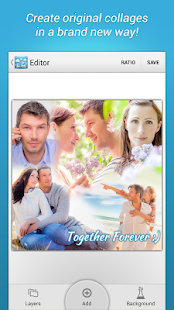
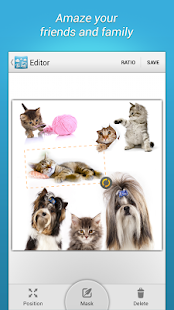
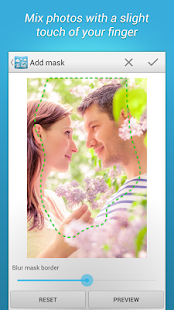
Blend Collage is a new app for making unusual collages, blending photos together in a harmonious way. Just put some pictures on the canvas to create an eye-catching photo story of your family, friends, or vacation. Save your collage in HD quality and share it via Instagram, Facebook and other websites.

Get creative and have a lot of fun with Blend Collage!


Blend Collage PRO - screenshot thumbnail Blend Collage PRO - screenshot thumbnail Blend Collage PRO - screenshot thumbnail

[Continue reading...]

Popular Posts

Infolinks In Text Ads

 
Copyright © . Android Pro Apps (Free Download) - Posts · Comments
Theme Template by BTDesigner · Powered by Blogger